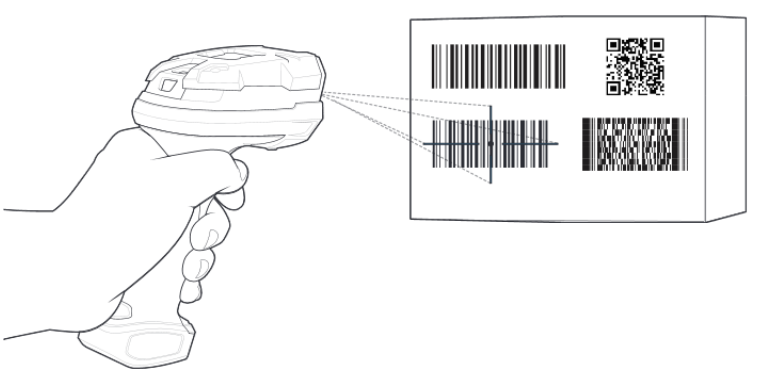
It enables the digital scanner to decode only barcodes that are aligned under the laser crosshair or LED aiming dot. This feature is useful in applications where multiple bar codes may appear in the field of view during a decode session and only one of them is targeted for decode.
Configuration:
The configuration can be done by use of the following tools/resources.
- by scan of programming barcodes in Zebra product reference guide
- by use of the Zebra 123 Scan Utility application
Using Programming barcodes
Parameter # 402 (SSI # F0h 92h).
Picklist mode enables the digital scanner to decode only barcodes that are aligned under the LED aiming dot.
Select one of the following picklist modes for the digital scanner:
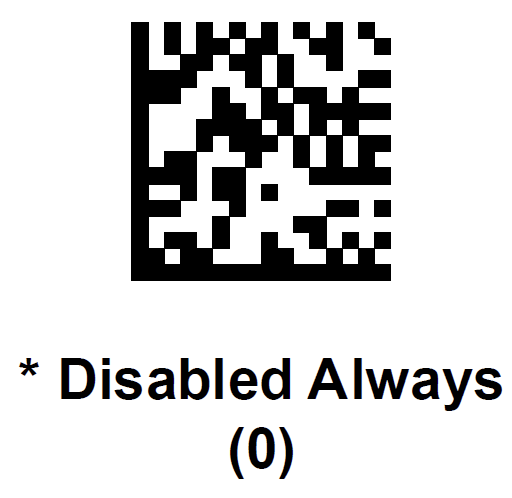
- Disabled Always - Picklist mode is always disabled.
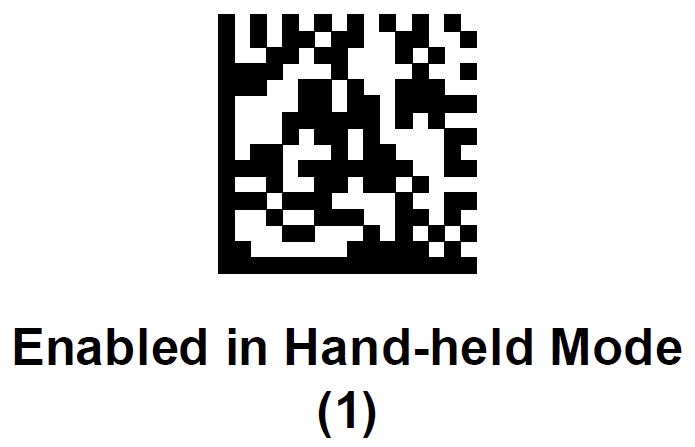
Default setting - Enabled in Hand-held Mode - Picklist mode is enabled in Hand-held mode.
- Enable Always - Picklist mode is always enabled.
- Enabled in Hands-free Mode - Picklist mode is enabled in Hands-free mode.
NOTE Picklist Mode temporarily overrides the Disable Decode Aiming Pattern parameter. You can not disable
the Decode Aiming Pattern when Picklist Mode is enabled.
 |  |
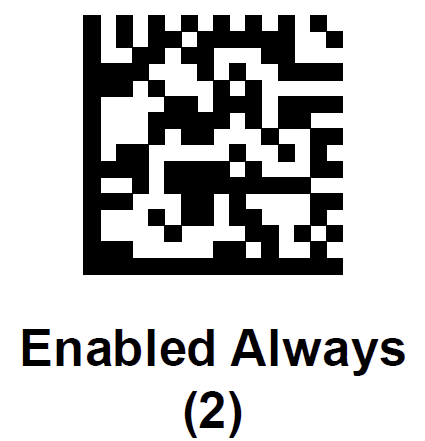 | 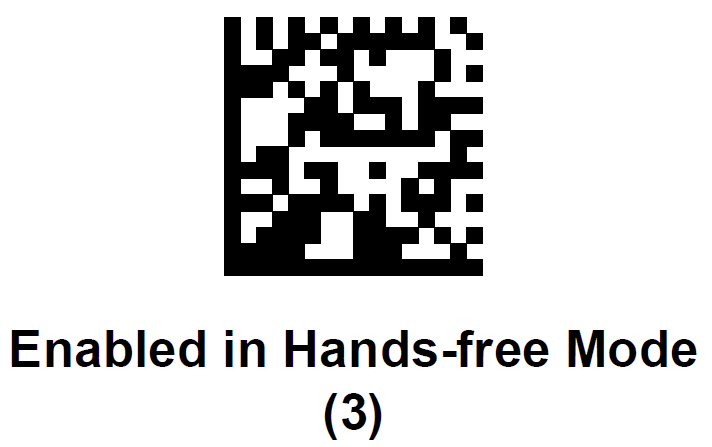 |
Outdoor Picklist Mode (only available for the BCS36x8ex-ER with SE4850-ER scan engine)
Parameter #1880
Enable this feature for improved picklist performance in direct sunlight.
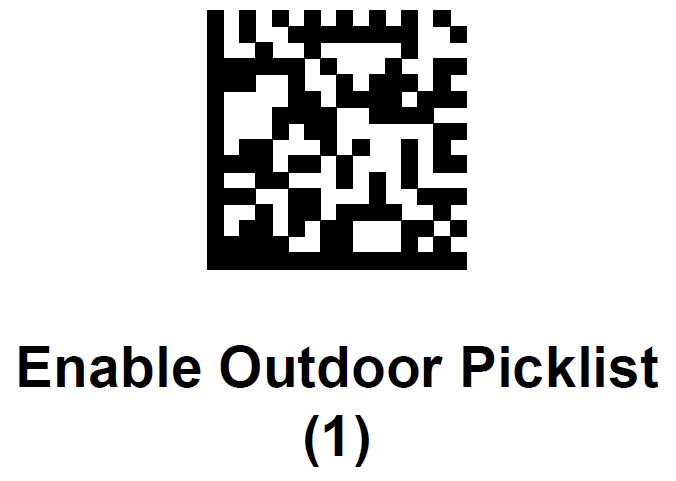 | 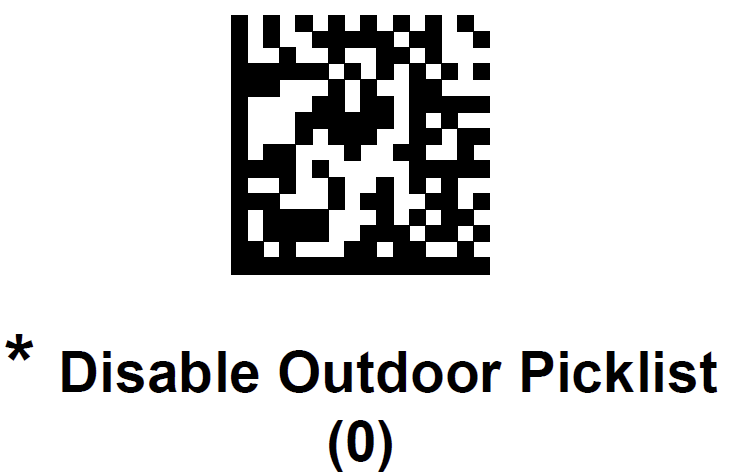 |
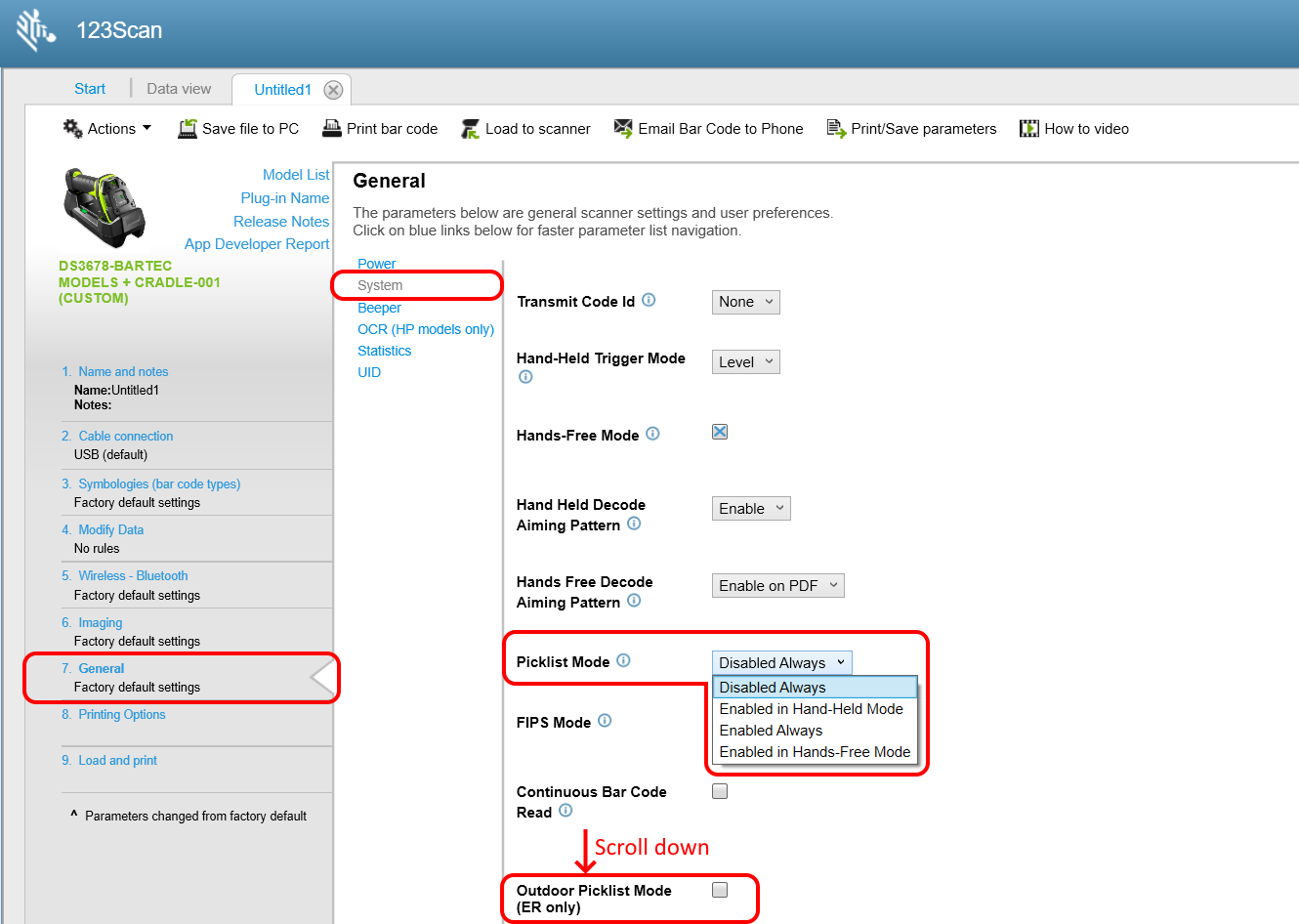
Using 123 Scan Utility
123 Scan Utility is a freeware utility available on the Zebra support & download page.
Article about 123 Scan Utility.
- Connect your scanner with USB cable.
- Select the menu “7. General”.
- Select the sub menu “System” and scroll down to “Picklist Mode”.
- Select one of the following picklist modes for the digital scanner:
- Disabled Always - Picklist mode is always disabled.
Default setting - Enabled in Hand-held Mode - Picklist mode is enabled in Hand-held mode.
- Enable Always - Picklist mode is always enabled.
- Enabled in Hands-free Mode - Picklist mode is enabled in Hands-free mode.
- Disabled Always - Picklist mode is always disabled.