
Question:
I am having problems with my Bluetooth connection.
There are many devices in simultaneous use that use Bluetooth and WiFi (2.4 GHz band).
Answer:
Use the Wi-Fi Friendly Mode on the BCS3678ex.
What is Wi-Fi friendly mode?
The Zebra, Wi-Fi™ Friendly Mode ensures the two technologies never overlap, and therefore, never impact one another. That means you can enjoy the convenience and high performance of our Bluetooth scanners without the risk of Wi-Fi disruptions.
More information about the Wi-Fi friendly mode:
Question:
I would like to connect the BCS3678ex scanner to another device.
Sometimes there are problems establishing the connection.
What can I do to ensure that the process runs smoothly?
Answer:
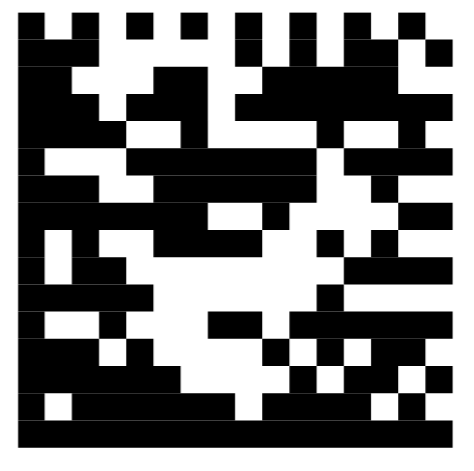
When changing Bluetooth connections, we recommend scanning the unpairing barcode.
This will delete all existing Bluetooth connections.
A new connection can then be established.
Unpairing barcode
Question:
I only use the base station for charging.
The BCS3678ex is paired with another Bluetooth device.
What do I need to keep in mind to ensure that my Bluetooth connection works well?
Answer:
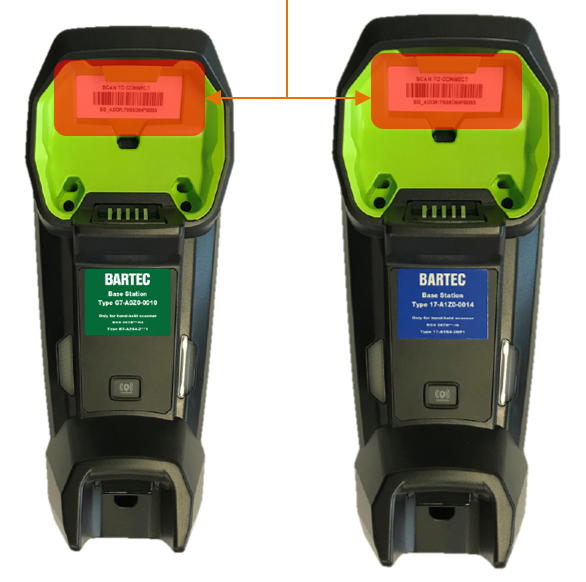
- The scanner can be connected to the base station by scanning the pairing barcode. If the base station is only used for charging, it is recommended to cover/mask the pairing barcode.
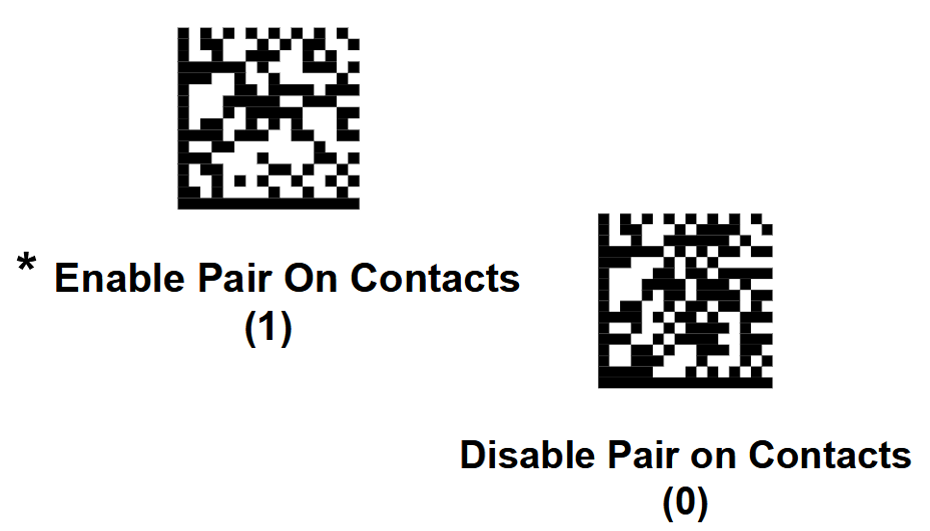
- The scanner can be connected to the base station using the “Pair on Cradle Contact” function. However, if the base station is only used for charging, it is recommended to disable this function.
How can it be disabled?- Scan the programming barcode
- Disable this function in the configuration file of the 123 Scan Utility.
| Pairing barcode | Pair on Cradle Contact |
 |  |
Relevant articles:
User manual for the BCS36x8ex Barcode Scanner - see chapter 9.1.3
Zebra 123 Scan Utility - a wizard for configuring and programming the scanners
BCS3678ex Plugin for Zebra 123 Scan Utility
What Bluetooth version is installed?